Sharp Digital LogoSharp Digital
ServicesOur WorkBlogs

Cut Kubernetes costs by 30–50%

Requests are usually set for the worst day the team remembers, not for what pods actually use. We measure real usage on EKS, AKS and GKE, then set requests, limits and autoscaling to match.
Get a free Kubernetes audit
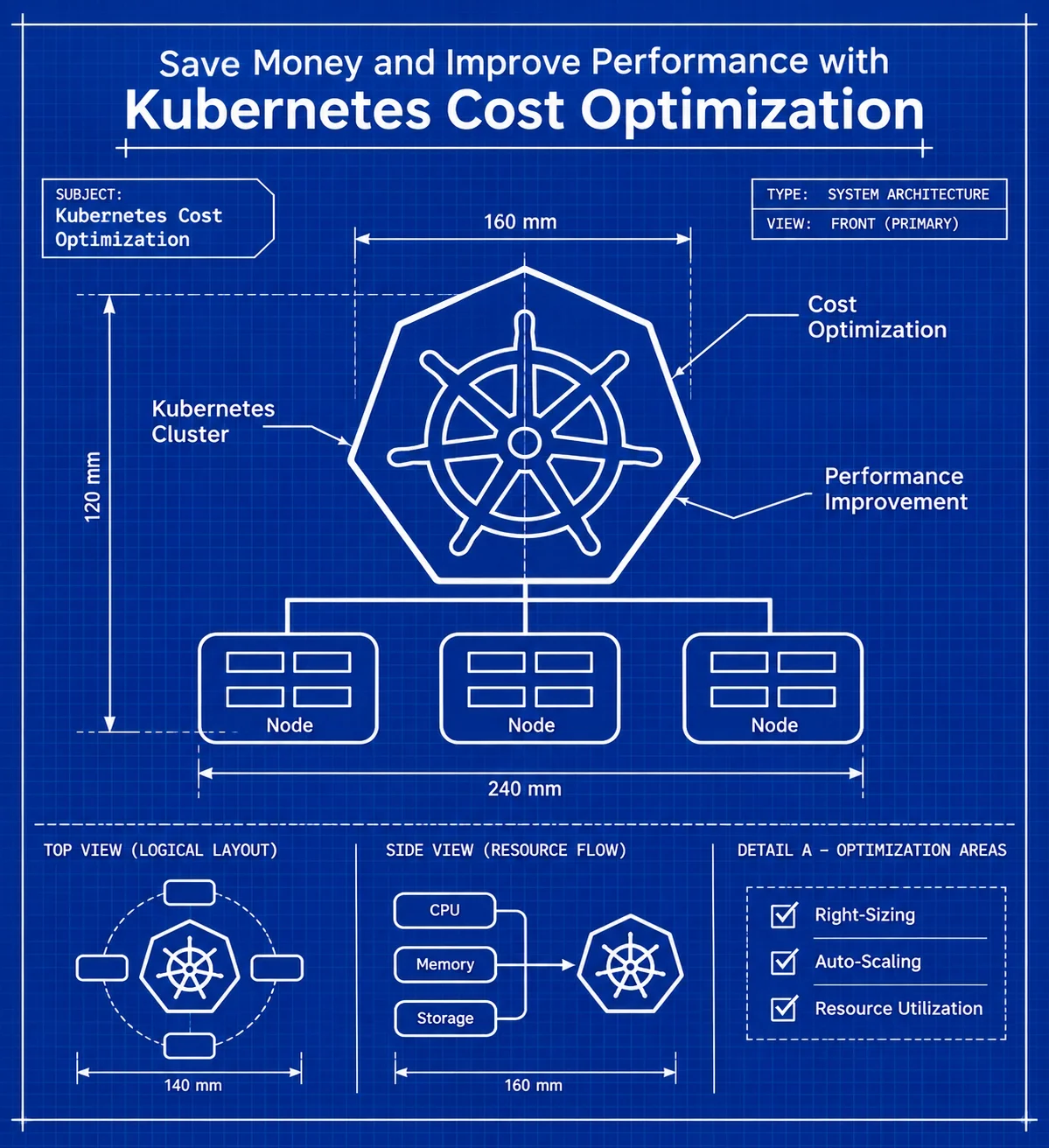
Kubernetes cost optimization blueprint for EKS, AKS and GKE rightsizing

Typical savings target

30–50%

From audit to first change

1 week

Managed platforms covered

EKS, AKS, GKE

Seven ways the Kubernetes bill gets out of hand

If two or three of these look familiar, you are paying for capacity your workloads never use.

  1. 01

    Requests set higher than real usage

    A request copied from a template is rarely revisited, so each pod reserves far more CPU and memory than it touches. The node is sized for the reservation, not the workload.

  2. 02

    No autoscaling

    Nodes stay up overnight and through the weekend because nothing scales the pool down when traffic drops.

  3. 03

    Limits that cause crashes

    Limits set too low cause OOMKilled pods and CPU throttling. Teams raise them, and the reservation grows with them.

  4. 04

    No Horizontal Pod Autoscaler

    Without HPA, replicas stay at peak capacity around the clock, so you pay all month for a spike that lasted an hour.

  5. 05

    Zombie resources

    Forgotten deployments, idle services, unused PVCs and old load balancers keep billing long after the project ends.

  6. 06

    No cost visibility

    Without allocation by namespace, team or service, nobody can tell which workload owns the bill, so nothing gets prioritized.

  7. 07

    Wrong platform for the workload

    A self-managed control plane or a premium managed tier can cost more than the workload justifies. We compare the options before tuning anything.

What we change, and what it saves

Each item is a separate lever. Most engagements start with requests and autoscaling, because that is where the first savings usually sit.

  1. 01

    Rightsize requests and limits

    Compare requests with usage history from Prometheus or kubectl top, then set requests and limits that keep real headroom instead of a guessed buffer.

  2. 02

    Horizontal Pod Autoscaler setup

    Scale replicas on CPU, memory or custom metrics so capacity follows traffic instead of staying pinned to peak.

  3. 03

    Karpenter for EKS

    Provision nodes just in time, choose instance types per workload, and use spot capacity where interruption is safe.

  4. 04

    Cluster Autoscaler tuning

    Set scale-down delays and buffer sizes that keep availability without holding empty nodes for hours.

  5. 05

    Quotas and cost allocation

    Label workloads by team, service and environment, enforce namespace quotas, and report spend against an owner.

  6. 06

    Cost dashboards and alerts

    Install Kubecost or OpenCost with Prometheus, then add budget alerts that fire before the invoice does.

  7. 07

    Managed platform tuning

    EKS node groups, AKS node pools and GKE Autopilot: tune the platform layer that sets the floor on your bill.

  8. 08

    Open-source tooling

    Deploy and configure the open-source stack, with dashboards and runbooks your team can operate after handover.

Three steps to a smaller bill

The first two steps need no access to your cluster. The third is a pairing session with the people who own the workloads.

  1. Step 01

    Send your metrics

    Send a week of usage from Prometheus, or a kubectl top snapshot, plus the last cloud bill. Billing data alone is enough to start; no cluster credentials needed.

  2. Step 02

    Get a ranked savings plan

    We return a report ordered by saving size and rollout risk, with the recommended change for each workload and the reasoning behind it.

  3. Step 03

    Ship the changes with us

    We pair with your team on the rollout, then check the reduction against the next invoice and leave the dashboards behind.

If we find less than 20% savings, you don't pay

The audit is fixed in scope: measure what the cluster uses, compare it with what it reserves, and price the gap.

  • 20% or no fee

    If the audit does not identify at least 20% in savings, you do not pay.

  • No cluster access

    We work from exported metrics and billing data. Credentials stay with your team.

  • Results by the next invoice

    Changes are rolled out with your team, then checked against the following cloud bill.

  • Knowledge stays in-house

    You keep the manifests, dashboards and runbooks, and we walk your team through them.

The guarantee

20%

Minimum savings the audit has to identify before we invoice.

What the audit includes

  • Prioritized savings opportunities
  • Estimated saving per opportunity
  • Recommended changes per workload
  • A walkthrough with your team

Kubernetes cost and rightsizing questions

The questions clients ask before the first audit.

Most of the waste sits in CPU and memory requests set higher than pods use. We target 30-50% of cluster spend, and the free audit tells you what your own cluster can realistically save before you commit to anything.

Compute nodes are the largest line, followed by persistent volumes, load balancers and data transfer, plus the EKS, AKS or GKE control plane fee. Rightsizing and autoscaling mostly attack the compute line.

It can be, because small teams usually copy a production manifest with generous requests. On a managed service, a handful of oversized nodes can cost more than the team's other infrastructure combined. Rightsizing and a smaller node pool usually fix it.

Kubecost or OpenCost for allocation, Prometheus for usage history, and the native autoscalers: HPA, Cluster Autoscaler and Karpenter. If you already run a stack, we work with it instead of replacing it.

Yes. That covers node group sizing, Karpenter provisioners, spot and Graviton instance selection, Fargate profile review and Cluster Autoscaler settings.

Node pool tuning, spot node pools for interruptible workloads, autoscaling configuration and reserved instance planning. The same order applies: requests first, then the node pool.

Label namespaces and workloads by team, service and environment, then report spend against those labels with Kubecost or OpenCost. Namespace quotas stop one team from consuming the shared budget.

Rightsizing requests, adding HPA where traffic varies, moving interruptible workloads to spot, and removing idle nodes. Visibility comes first, because you cannot prioritize what you cannot measure.

Docker is the container runtime; Kubernetes schedules those containers across nodes. The cost question is whether you run a managed control plane (EKS, AKS, GKE) or operate your own, and how much idle node capacity you carry.

Machine learning is useful for forecasting traffic and suggesting requests from historical usage. It does not replace measurement, and we only recommend it where the workload is regular enough to forecast.

Observed p95 usage plus headroom for the workload's burst pattern. Limits that are too tight cause OOMKilled pods and throttling; limits that are too loose reserve capacity the node cannot lend to another pod.

Comparing requested CPU and memory with actual usage from Prometheus or kubectl top, then changing the manifests to match. It removes reserved-but-unused capacity and lowers the node count you need.

Most teams have the skills but not the time to read weeks of usage data and change every workload safely. We do the measurement and the rollout with your team, and leave the manifests and dashboards behind.

Yes. Node pool and machine family selection, committed use discounts, preemptible nodes for batch work, and GKE autoscaling configuration.

An open-source node autoscaler that provisions nodes when pods need them and picks instance types and capacity, including spot, per workload. It replaces some Cluster Autoscaler use cases and usually reduces idle node time.

Find out what your cluster is actually using

Send a week of metrics or your last cloud bill. The audit is free, and if we cannot find 20% in savings, there is nothing to pay.

Get the free auditSee how we work

Prefer to talk first?

Email[email protected]Call+91 82107 72073
Sharp Digital

Premier Web Development Agency in India delivering professional web development services, custom web applications, and SEO-friendly website design.

Quick Links
  • Local SEO Services
  • Google Ads Services
  • Web Development Company
  • Search Engine Optimization
  • WordPress Development
  • Digital Marketing Agency
Company
  • About Us
  • Our Work
  • Careers
  • Contact Us
  • Privacy Policy
  • Terms of Service
Free Tools
  • AI Page Roast
  • Watermark Remover
  • Background Remover
Email[email protected]
Locations

Ireland & India

© 2026 Sharp Digital. All rights reserved. |Crafting digital experiences with precision.